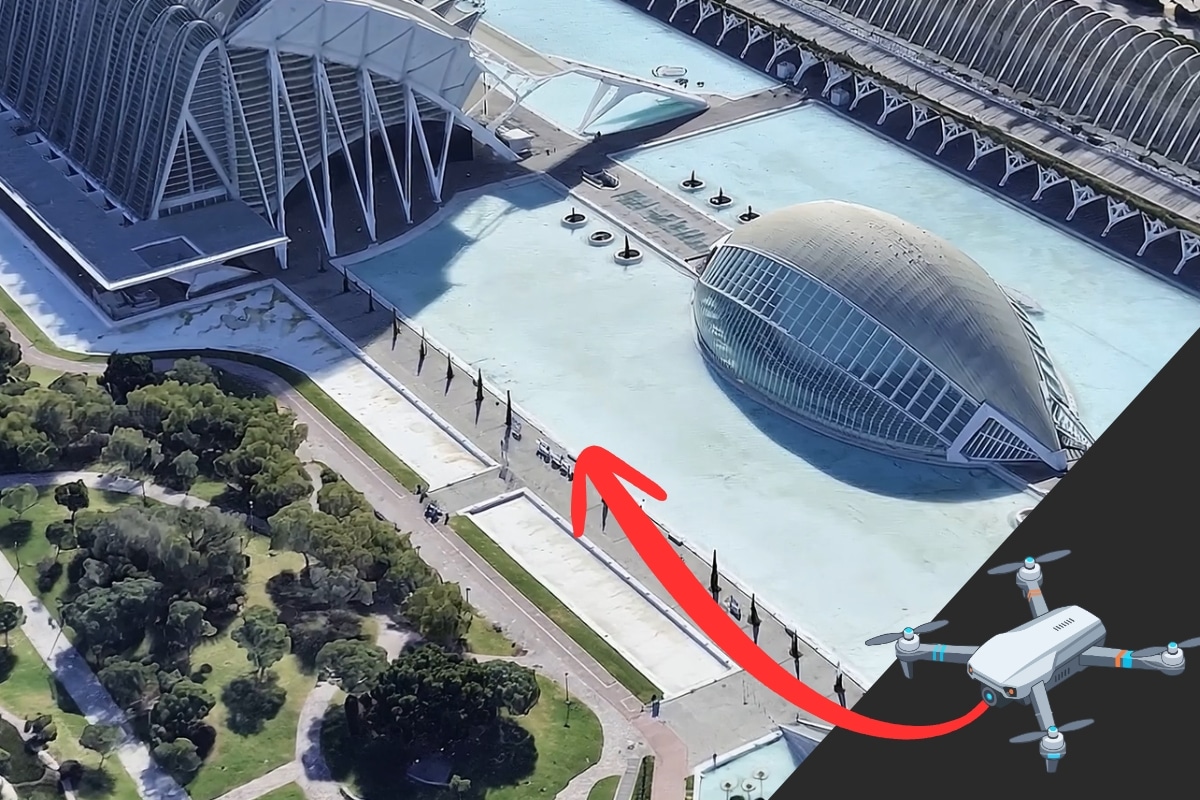
How to create drone tours with AI for free
Do you want to take an aerial tour of your project? Thanks to Artificial Intelligence, you can simulate a drone flight with AI starting from a simple Google Maps image and completely free.
Imagine, you take an aerial image of your project’s area, draw an arrow with the route you want the camera to follow, and with two clicks, you create a drone video without having a drone thanks to AI—it’s that simple!
Create free aerial tours with AI in just 2 minutes, without expensive equipment, flight licenses, and hours of practice—you can’t ask for more!
How to create a drone-style aerial tour with AI
To get a cinematic shot from the air we have to use Gemini Omni technology for video and follow a few simple steps…
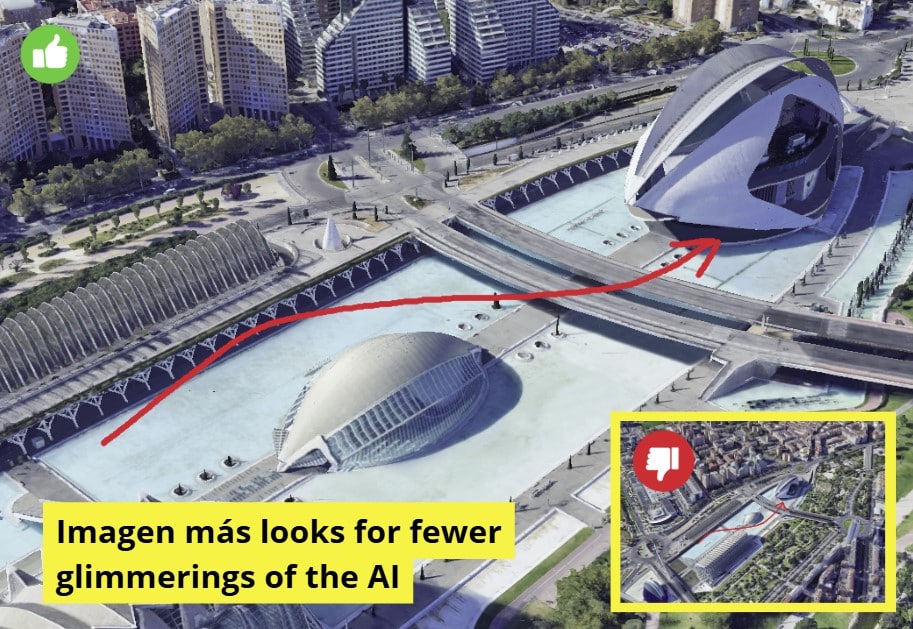
1.- Obtain the base image
The fastest way is to open Google Earth, search for the desired location, make sure to have the 3D buildings option activated (better if you remove map labels) and save the screenshot.
You can also use images captured from a SketchUp model, a 3D render, CAD, a conceptual sketch, or aerial photographs with volume previously using AI tools.
🟧 Note: Remember that you can insert 3D models in Google Earth very quickly
2.- Trace the drone route
Open Paint (or a similar editing program), paste your screenshot, and use a red brush to draw the path you want the camera to take, then save this new image.
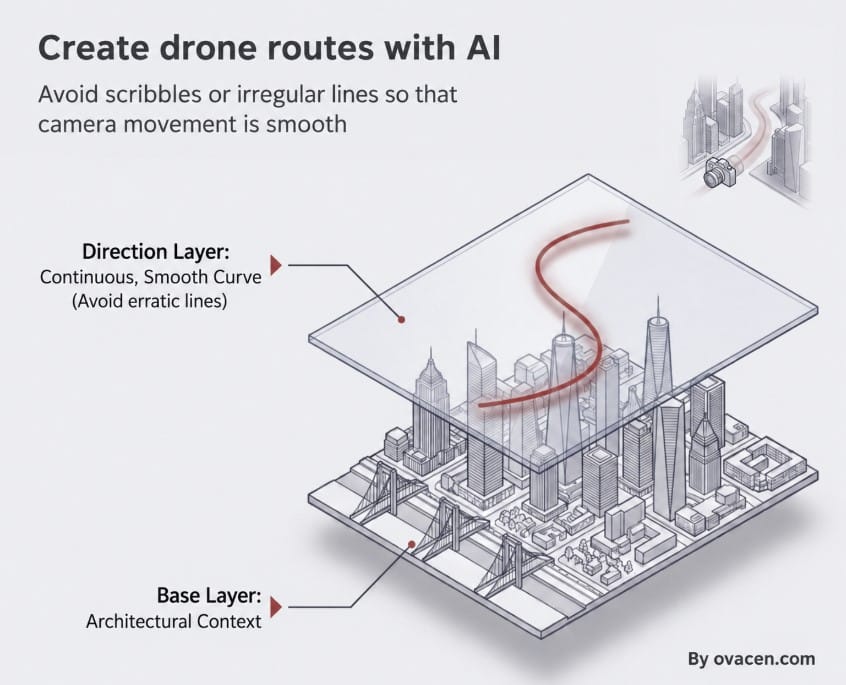
It is important to avoid making very irregular strokes or scribbles so that the camera movement in the video is smooth
3.- Upload the image to Google Flow
- First, you have to enter the Google Flow tool with your Google account. It’s free, and we have 50 usage credits that regenerate every day.
- Secondly, click on create New Project and drag the image with the drawn arrow to the project tab.
4.- Configure parameters and the generation prompt
To configure the video characteristics in Google Flow, we have to click on the chat in the “Agent” or “Settings” tab and make the following adjustments:
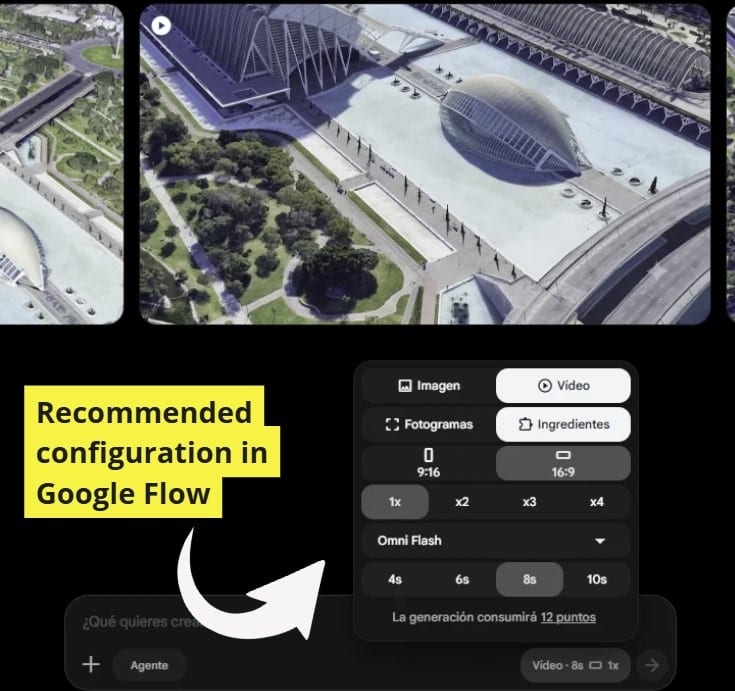
- Output format type: Video
- Playback type: Ingredients (With the frame option to incorporate start image and end image)
- Video size: In vertical format 16:9
- Speed: It’s better at 1x
- AI type to create the video: Omni Flash (It is very important to use the Omni model)
- Assigned time: It is recommended 6x or 8x for stability in video generation (The maximum is 10x in the free version)
I advise you that to make a drone flight with AI, it’s better to use time 6x or 8x and then join videos
Keep in mind that a longer duration will consume more credits from your account. Also, for images with less detail (like sketches), it is recommended to reduce the time to about 4 seconds to prevent the AI from hallucinating or distorting the image.
Once the video output parameters are set, we have to incorporate the prompt to the AI. We are using the following:
Drone-style POV video along the path marked by the red arrow, with the red arrow completely removed and invisible in the output, maintaining consistent building architecture.
🟧 Tip: To create drone-style videos with AI, you can also send the image – with arrow – to ChatGPT or Gemini and ask it to explain the photo’s route in detail, then upload without the route arrow plus the indicative prompt.
5.- Generate video and download
Run the video creation. It usually takes about 30 to 40 seconds. You can save the final file using the download option (Free plan 720p and Pro version 1080p) at the top right of the screen
And, can a more professional drone flight be done with AI?….
How to make the drone flight with AI for real estate
What we have done so far is in quick mode. But… Can a more professional aerial tour be done with artificial intelligence? The direct answer is yes, but it is more laborious.
In the following AI drone video (in spanish) for real estate, they explain it in detail using the same tools as before (Google Earth and Google Flow) but with a more detailed process:
To generate smooth and cinematic movement transitions. The author highlights that they use a series of prompts you can see HERE allowing the creation of ads that highlight properties economically and quickly. We recommend for real estate:
From what we have been able to verify, clearly the cinematic flight generated by AI is the future. It may be that now – if you don’t have time or patience – the results are not exactly what you want, but this is an unstoppable revolution.
From what we have been able to verify, clearly the cinematic flight generated by AI is the future. It may be that now – if you don’t have time or patience – the results are not exactly what you want, but this new technology is an unstoppable revolution.
If you liked it, share!