Free 3D Model Library from NVIDIA
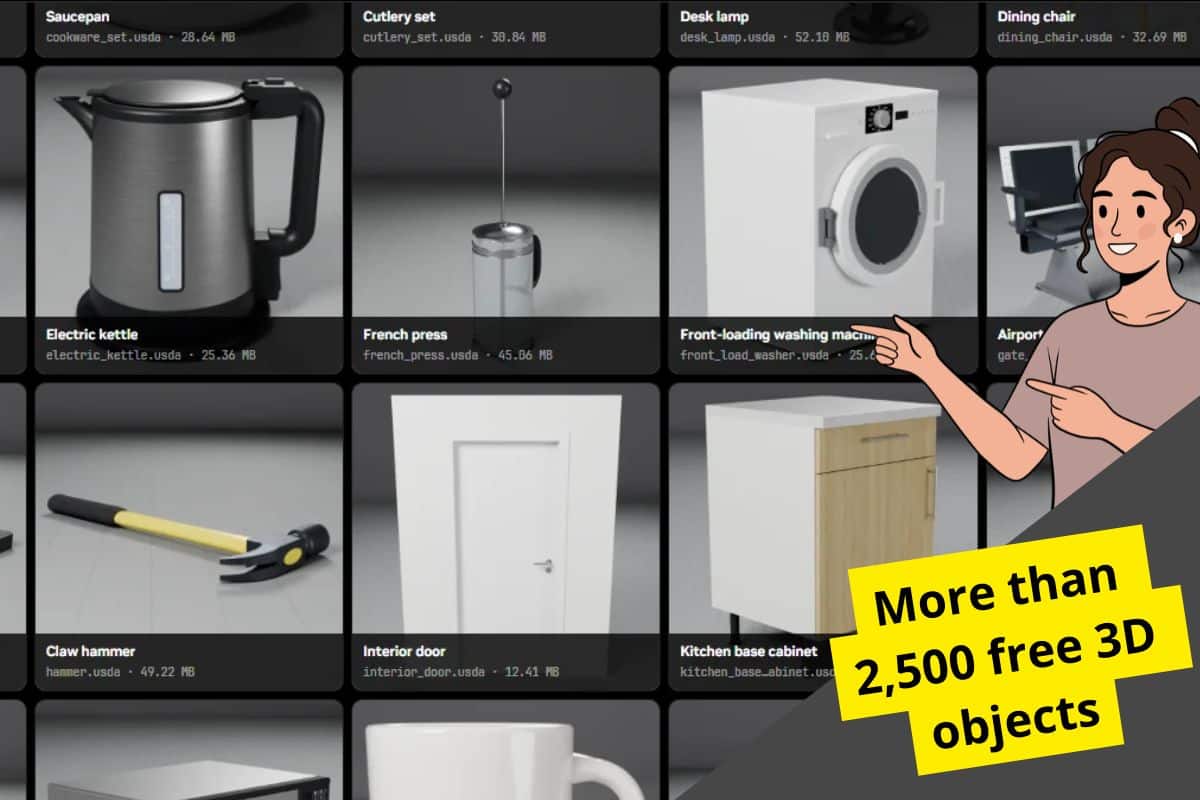
The company NVIDIA has just opened a free library with more than 2,500 detailed 3D assets that you can explore and download from Hugging Face (the collection is called SimReady Assets).
There are exactly 2,575 free 3D objects available to download in full detail, aimed at architects, 3D artists, designers, developers, etc. A catalog to start building scenes without modeling every element from scratch.
A Free 3D Model Library with Real-World Objects
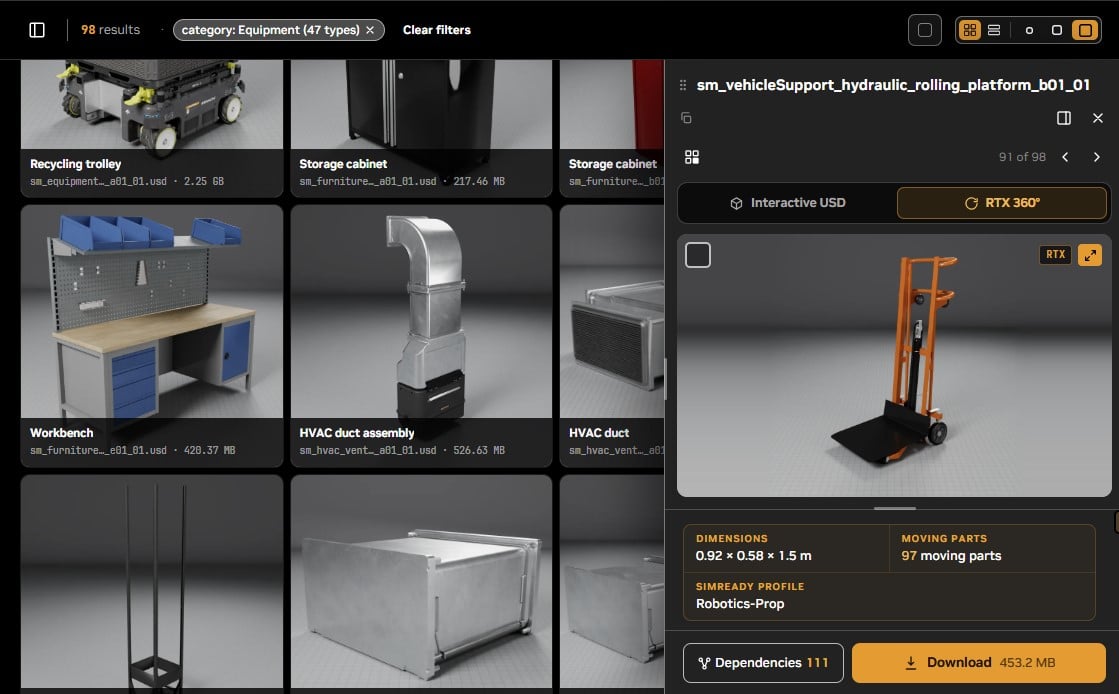
You can view the free catalog at NVIDIA SimReady Assets on Hugging Face and it includes recognizable objects from any everyday environment to specialized equipment.
Among the examples, you have all kinds of tools to 3D objects from the residential sector (bathrooms, kitchens, lighting, etc.) including cardboard boxes, carts, utensils, or medical equipment.
In total, there are 472 GB in the complete repository, not per download. It is advisable to first look at the resources you are interested in and retrieve their packages with the necessary dependencies.
How to Download NVIDIA’s Free 3D Assets
You can start from the official repository to see all the free 3D objects:
- Go to ➡️ NVIDIA SimReady Assets.
- Explore the gallery to locate the objects that interest you.
- Search for and click on the object for a 3D preview and examine an asset before downloading it.
- Access “Download > Open in Hugging Face > Download file” and grab the asset package, including its materials, textures and referenced files (they are in OpenUSD format).
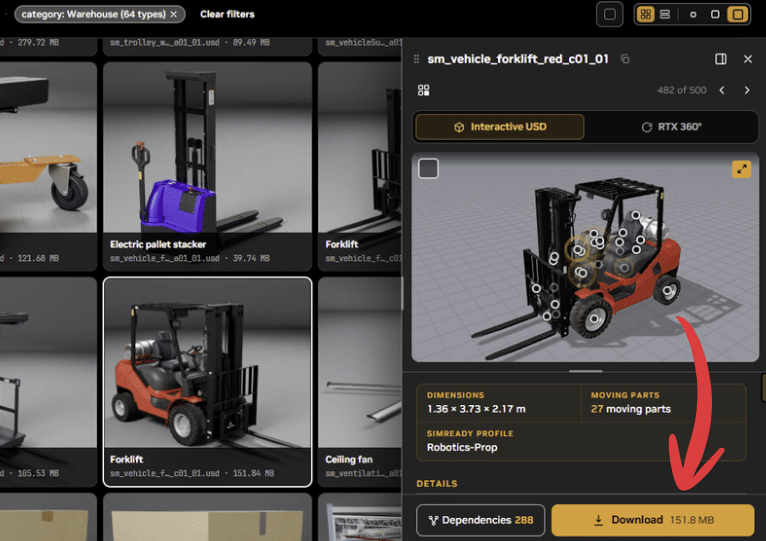
The viewer allows you to rotate the models, zoom in, and open them in full screen. Remember that USD files may depend on other elements of the repository: downloading only the main file may leave out part of the resource.
🟧 Note: Keep in mind that the total weight of the entire library is 472 GB, so download only what you need. And by the way, you can check out the article to create 3D furniture with just one image it’s crazy!
Detailed Models, Materials, and OpenUSD Format
The collection uses OpenUSD, a technology to describe and organize 3D scenes. An asset can gather geometry, materials, textures, and references to other files. Its structure matters as much as the main file.
Before importing them into your 3D software, check the USD support and material reading. The result may vary depending on the program!
SimReady’s creation approach, covers real-scale models, materials based on physical properties — known as PBR — and a texture preparation aimed at representing how the objects look.
They also serve robotics and artificial intelligence
Beyond their visual usefulness in renders and infographics, the SimReady library is designed to provide information that a simulation can interpret.
This approach combines OpenUSD models for modeling in 3D software with semantic tagging and physical properties based on USDPhysics. The creation guidelines include mass, physical materials and collision geometries.
An object can carry information about what it is and how it should behave, in addition to its 3D appearance — it’s useful for building virtual environments!
For anyone looking for free 3D models, this simulation-ready preparation is an added value. The main draw is still straightforward: an extensive library of detailed assets that you can explore and download without paying.