Solar installation design software
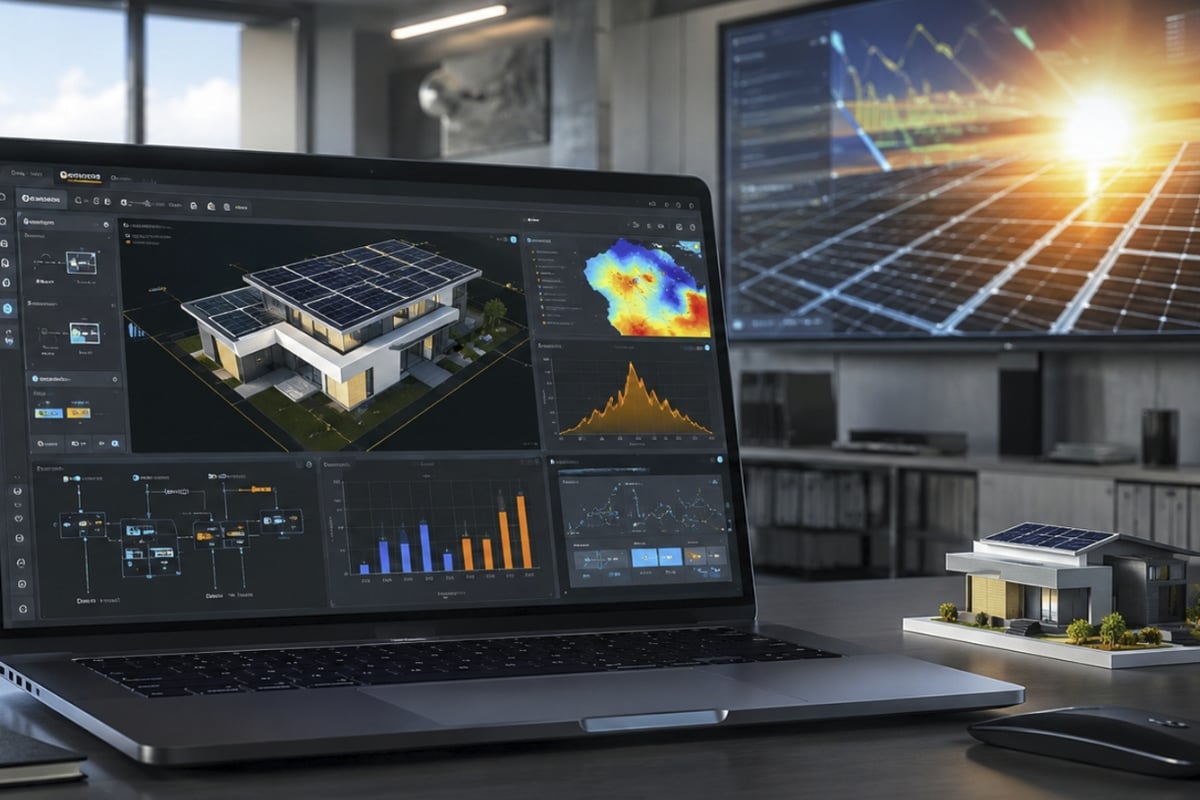
The simulation of a solar installation is no joke, there’s a lot of money at stake. Of course, we have to rely on software for photovoltaic system design if we want efficiency and profitability.
There is a wide range of photovoltaic software to design, simulate, budget, and optimize solar installations connected to the grid, isolated, or hybrid, but not all have a solid foundation.
Be careful! A photovoltaic calculation program is not really efficient without the experience and wisdom of the technician behind the project
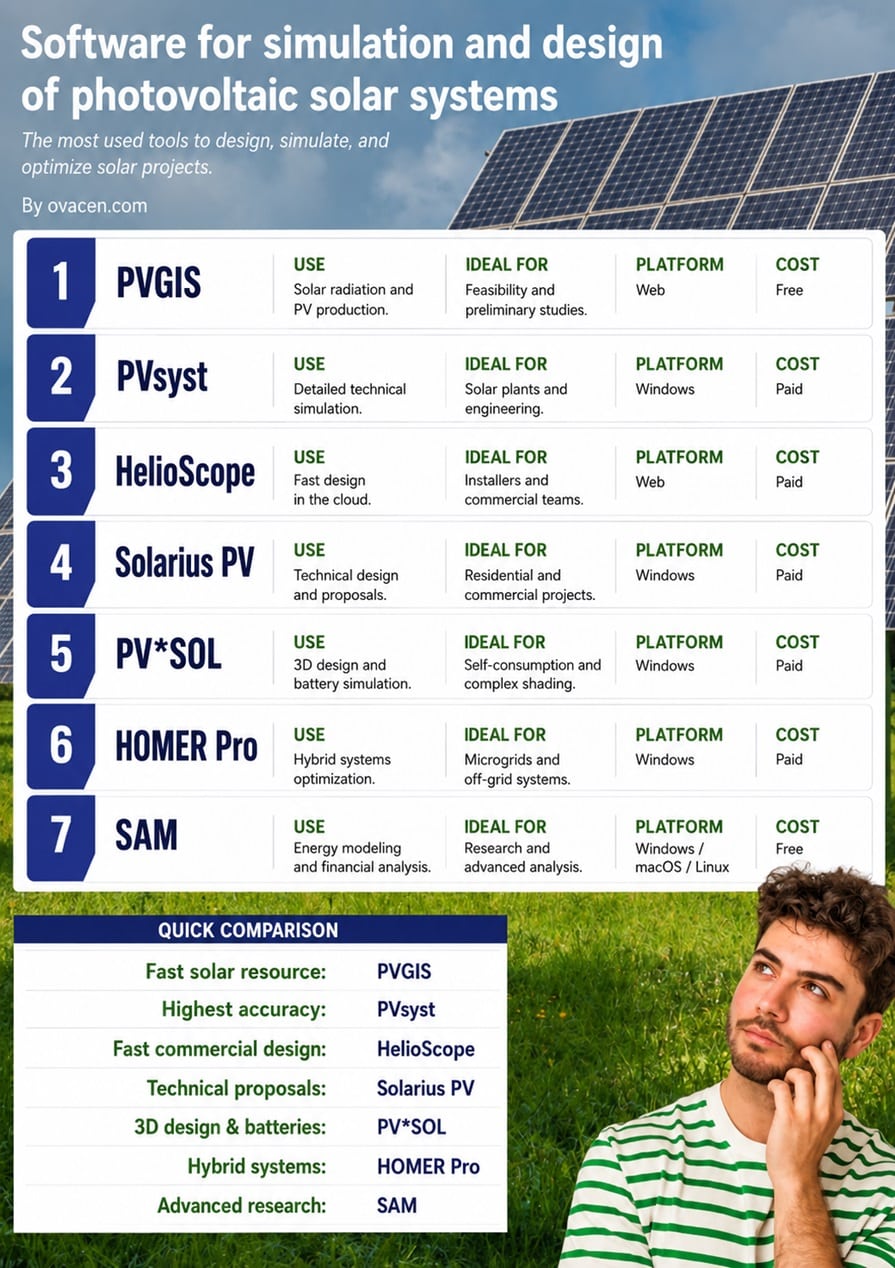
In this guide, we analyze very used and current solutions: PVGIS, PVsyst, HelioScope, Solarius PV, PV*SOL, HOMER Pro, and SAM. But first, the summary comparison table:
| Feature | 1. PVGIS | 2. PVsyst | 3. HelioScope | 4. Solarius PV | 5. PV*SOL | 6. HOMER Pro | 7. SAM |
|---|---|---|---|---|---|---|---|
| Simulation Accuracy | ●●●◌◌ | ●●●●● | ●●●●◌ | ●●●●◌ | ●●●●● | ●●●●● | ●●●●● |
| Ease of Use | ●●●●● | ●●● | ●●●●● | ●●●●● | ●●●●◌ | ●●●◌◌ | ●●◌◌◌ |
| Design Speed | ●●●●● | ●●●◌◌ | ●●●●● | ●●●●● | ●●●●◌ | ●●●◌◌ | ●●●◌◌ |
| Economic Analysis | ●●◌◌◌ | ●●●●● | ●●●◌◌ | ●●●◌◌ | ●●●●◌ | ●●●●● | ●●●●● |
| 3D Modeling and Shading | ◌ | ●●●●◌ | ●●●●● | ●●●●◌ | ●●●●● | ●●◌◌◌ | ◌ |
| Hybrid Systems and Storage | ●●◌◌◌ | ●●●●● | ●●◌◌◌ | ●●◌◌◌ | ●●●●● | ●●●●● | ●●●●◌ |
| Flexibility and Customization | ●●◌◌◌ | ●●●●◌ | ●●●◌◌ | ●●●◌◌ | ●●●●◌ | ●●●●● | ●●●●● |
What a good photovoltaic software should do
A good program for solar installation simulation doesn’t just draw panels. It should convert meteorological data, orientation, shadows, inverters, batteries, and costs into a reasonable production estimate.
It should also facilitate decisions. Is it advisable to change the inverter? Are there losses due to shading? Does the battery make economic sense? Does the design meet the client’s goal?
- Photovoltaic simulation hourly or annually.
- 3D modeling and shadow analysis.
- Sizing of modules, inverters, and strings.
- Loss analysis and PR.
- Economic estimation, return, and energy cost.
- Technical reports for the client on the PV installation, engineering, or financing.
The best tool depends on the work and project you have. Don’t use a “mega powerful” software for a simple proposal, it’s crazy!
1.- PVGIS: free solar resource and photovoltaic production
The online software PVGIS (acronym for Photovoltaic Geographical Information System) is a web tool developed by the JRC of the European Commission, it is free and accessible online, without the need to install anything.
Although it was born as a radiation database, the tool also allows for the sizing of photovoltaic installations.
It is not a 3D design program like PV*SOL nor an engineering tool like PVsyst, it is for obtaining a first reliable estimate of the solar resource!
When to choose PVGIS
- Preliminary solar feasibility studies.
- Quick comparison between locations.
- Initial estimation of photovoltaic energy production.
- Obtaining meteorological data for other programs.
- Basic analysis of self-consumption or isolated systems.
- Platform Type: Web and Cost: Free
The photovoltaic application is especially useful for the start of the renewable energy project. It has a good solar resource, how much energy the system could generate, and whether it is worth moving towards a more detailed simulation.
🟧 Note: The climatological and radiation data downloaded from PVGIS are perfect for feeding other calculation templates (for example, Excel sheets)
2.- PVsyst: precision for engineering and solar plants
The program PVsyst that you can consult HERE, is one of the most used tools when the project requires technical detail, loss analysis, and production estimation with meteorological data.
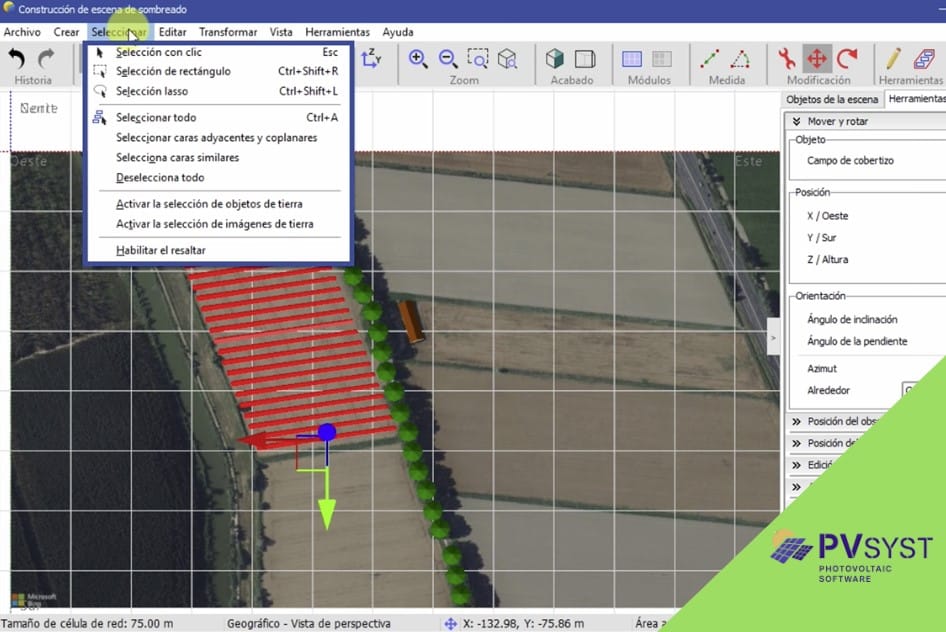
It allows working with grid-connected, isolated, and hybrid systems. It also helps calculate annual performance, losses due to temperature, orientation, shading, and electrical configuration.
When to choose PVsyst
- Large-scale solar plants.
- Projects with financing or external technical review.
- Studies where PR, losses, and annual production matter.
- Engineering that needs complete and traceable reports.
- Platform Type: Windows and Cost: Paid
Its learning curve is higher than other solutions. But, it offers a more solid technical reading of the system’s behavior.
[article ids=”49272,47746,44469″]
3.- HelioScope: speed for commercial proposals
The online solar software of HelioScope that you can look at HERE, stands out for its agile workflow. It is designed to create solar designs, calculate production, and prepare reports without blocking the team in overly slow processes.
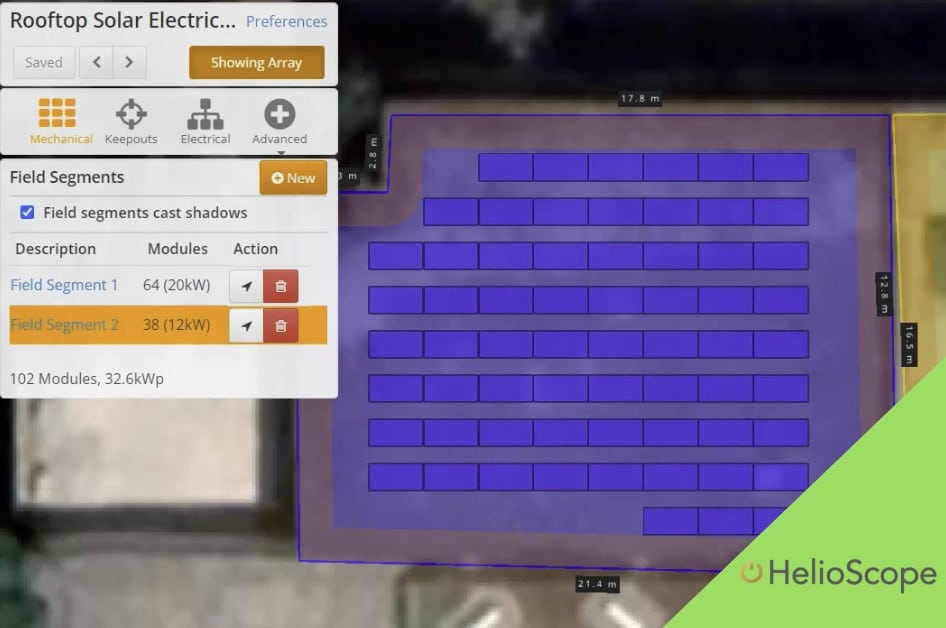
Its cloud focus facilitates collaboration and is one of the most popular solar photovoltaic programs in the world for its ease of use
When to choose HelioScope
- Commercial and industrial installations.
- Teams that prepare many proposals per month.
- Designs where shadow analysis must be quick.
- Companies that need visual reports for clients.
- Platform Type: Web and Cost: Paid
It works very well in pre-sale phases. For bankable studies or very deep electrical calculations, it can be combined with technical tools.
4.- Solarius PV: design, budget, and documentation
If you want another solar energy modeling tool oriented to the technical and economic design of grid-connected photovoltaic installations, the program Solarius PV from ACCA software is a good solution.
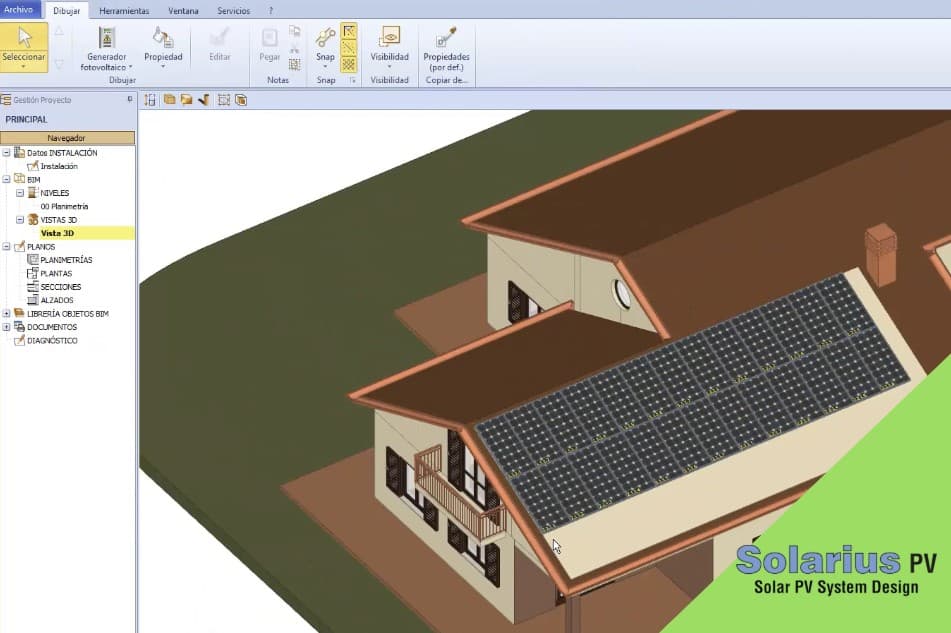
Its value lies in combining sizing, financial analysis, and documentation generation in a single flow. This makes it attractive for installers, consultants, and technical offices, although it still has a design from a thousand years ago.
When to choose Solarius PV
- Residential and commercial proposals.
- Quick quotes with technical support.
- Projects where the client needs to see savings and profitability.
- Teams that prefer a guided interface.
- Platform Type: Windows and Cost: Paid
An excellent photovoltaic application for technical and commercial proposals in the field of solar energy, combining design, simulation, and economic analysis.
5.- PV*SOL: 3D modeling, self-consumption, and batteries
If we talk about a reference we have to name PV*SOL; it combines 3D design, photovoltaic simulation, and electrical analysis. It is especially useful on roofs with complex geometries or relevant shading.
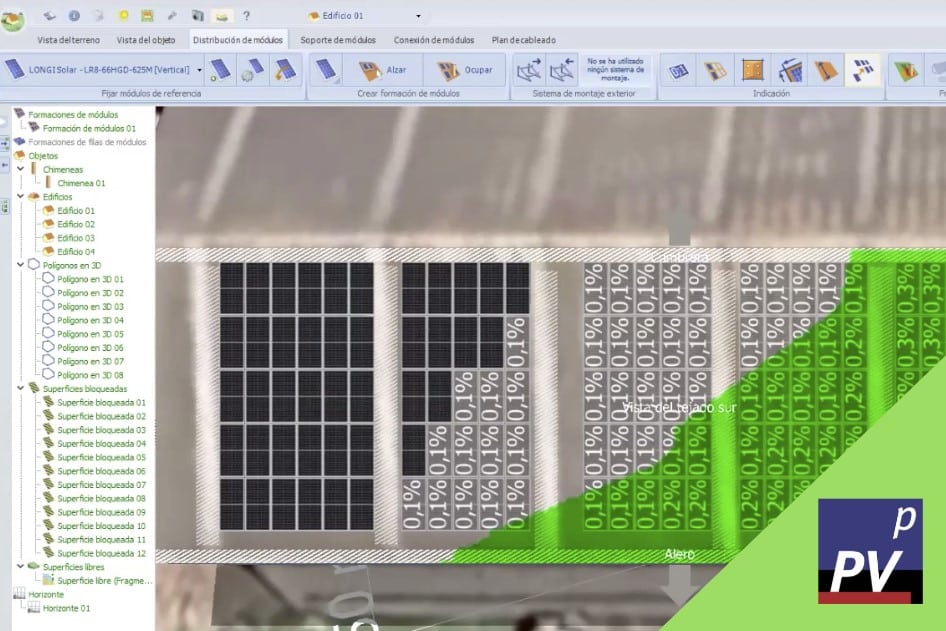
This solar installation calculation application also allows studying self-consumption, batteries, electric vehicles, and consumption profiles. This makes it a powerful option for modern residential and commercial projects.
Its strength lies in combining visual clarity with technical calculation. For many installers, that mix makes the difference.
When to choose PV*SOL
- Roofs with obstacles, chimneys, or partial shadows.
- Installations with batteries and self-consumption.
- Projects that require electrical diagrams and detailed simulation.
- Designs where 3D visualization helps sell and validate.
- Platform Type: Windows and Cost: Paid.
🟧 Note: We remind you that we have an energy unit conversion calculator and many others for various uses.
6.- HOMER Pro: hybrid systems and microgrids
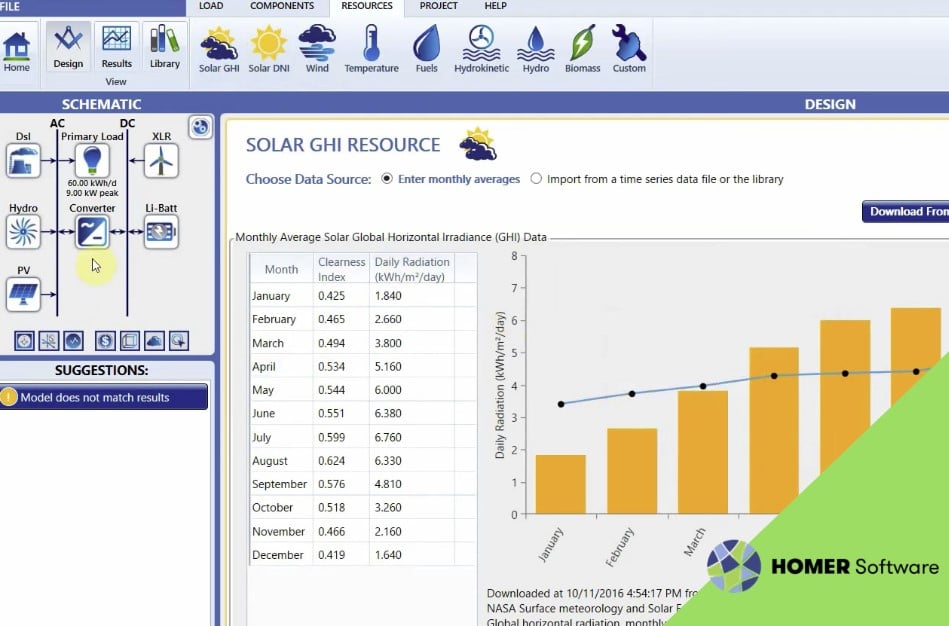
With the application HOMER Pro it does not compete exactly in the same field as a pure solar rooftop sizing software. Its specialty is microgrids and hybrid systems.
It allows combining photovoltaics, batteries, generators, wind, and other sources to find viable configurations in cost, resilience, and operation.
When to choose HOMER Pro
- Isolated sites without a stable electrical grid.
- Rural, island, mining, or telecommunications projects.
- Comparisons between photovoltaics, battery, diesel, and wind.
- Analysis with NPC and LCOE.
- Platform Type: Windows and Cost: Paid.
Its value lies in testing scenarios. You change the fuel cost, demand, or battery autonomy, and see how the optimal solution moves.
7.- SAM: advanced analysis with open source focus
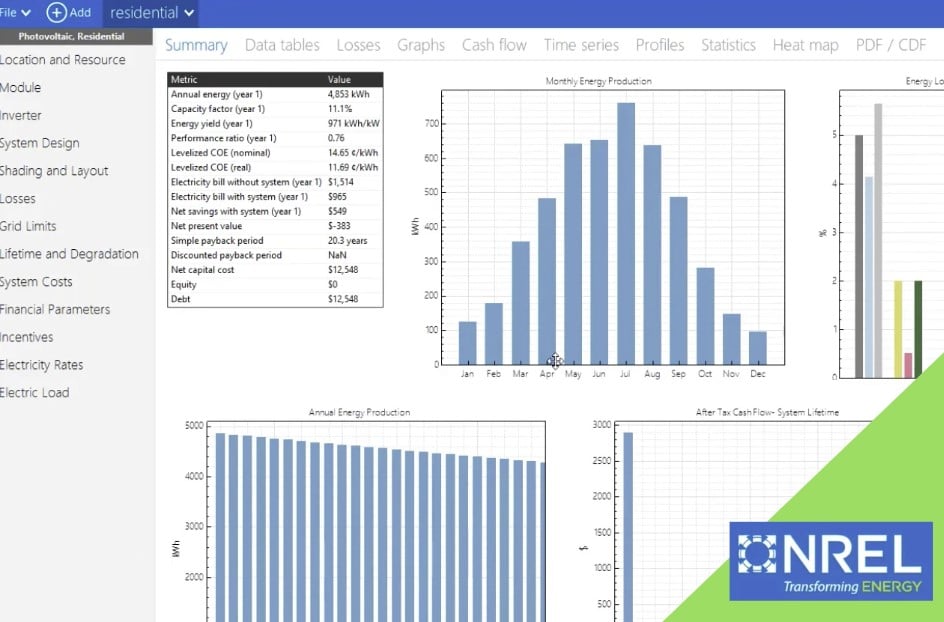
The SAM is an open source – free – tool developed by the NREL and that you can see from HERE. It is designed to model performance and finances in renewable energy projects.
It can be used in photovoltaics, solar thermal, wind, biomass, geothermal, and storage. It also offers customization possibilities for technical users.
When to choose SAM
- Research and teaching.
- Comparison of renewable technologies.
- Detailed financial analysis.
- Users working with their own data, scripts, or models.
- Platform Type: Windows / macOS / Linux and Cost: Free
It is not the fastest program to prepare a simple commercial offer. Its strength appears when the project needs transparency, customization, and deep analysis.
Common mistakes when comparing solar software
- Don’t look so much at the price, see if it meets your needs. A cheap license can be expensive if it forces you to redo calculations, reports, or proposals.
- That a tool is known does not mean it is the best for self-consumption, microgrids, or financial analysis. Here you have to keep trying photovoltaic simulation programs it’s continuous training!
- Check the quality of the databases… Are they updated?… Modules, inverters, meteorological data, load profiles, etc., influence the final result.
- Be careful with the shadows. If there are shadows falling on the photovoltaic plant, be careful! Not all programs consider efficient modules in this aspect.
- Maintenance is the great forgotten, and then the economic numbers of the proposed design don’t add up as much.
Calculating photovoltaic projects without thoroughly reviewing the area and terrain where the installation goes is all problems! An on-site visit is mandatory, it’s the best thing you can do.
Simple alternatives in photovoltaic solar design software
You don’t always need a mega program to design an installation with solar panels, sometimes, we just need a quick simulation, see the economic viability in broad strokes, or they are simple calculations. Some interesting options:
- Using Excel for the solar calculation of the panels is an alternative that many continue to practice. At this point, I leave you the following video on how to calculate a photovoltaic installation with Excel:
- From Google’s website there is an application by Google Maps for solar designs that in specific cases, is quite useful and with quick economic data in energy production, roof and rooftop design analysis, number of panels needed, etc.
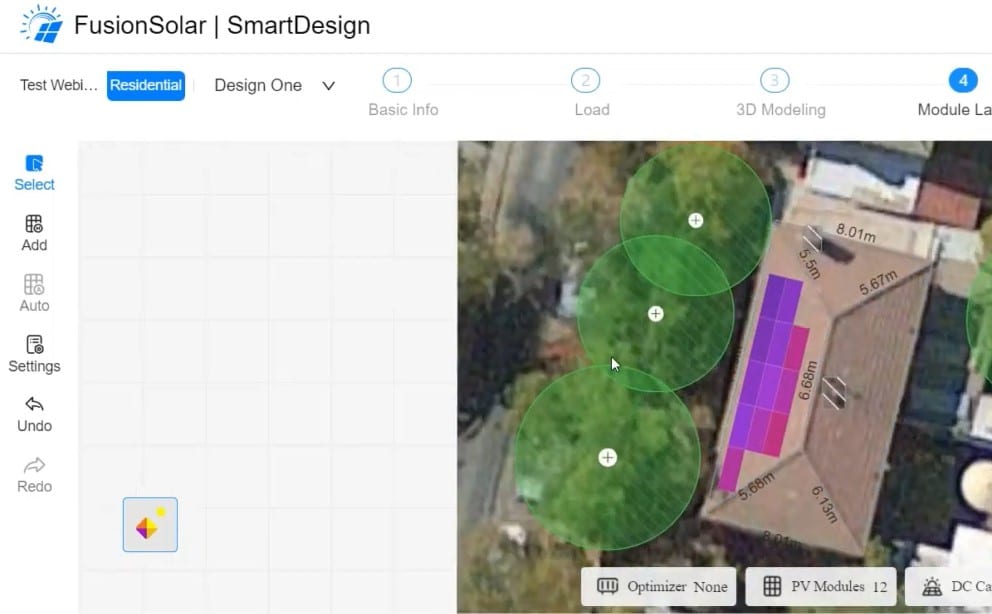
- The SmartDesign 2.0 by Huawei, a free web platform designed for planning and simulation of PV projects – Photovoltaic.
- Another quick alternative is ShadowMap with its solar analysis module in 3D, and the truth is, they make it quite easy (Of interest is the article on online solar exposure analysis).
- Also, AI (artificial intelligence) comes into play, from performing calculations in ChatGPT, Gemini, or Claude to building your own applications, and it’s easier than you think!
- Other simple but effective options are Apps for photovoltaic design and calculation like the SolarCT app very visual or the other Photovoltaic Calculations app by Ettore Gallina.
Frequently Asked Questions – FAQ
What is the best program to simulate photovoltaic installations?
It depends on the project. For detailed simulation and loss analysis, PVsyst is a widely used option; for quick commercial design, HelioScope may be more agile.
Best free program for photovoltaic installations?
One of the free programs for calculating photovoltaic systems is PVGIS developed by the JRC of the European Commission.
What photovoltaic software is used for self-consumption with batteries?
PV*SOL is a good option when the project includes self-consumption, batteries, and shadow analysis. SAM also allows studying storage with a more technical and financial approach.
Does PVsyst work for isolated systems?
Yes. PVsyst allows studying grid-connected, isolated, hybrid systems, and other photovoltaic configurations, although it requires technical experience to make the most of it.
Does HelioScope work for large solar plants?
It can be used in commercial and industrial projects, especially in design and proposal phases. For bankable studies or very detailed loss analysis, it is often combined with tools like PVsyst.
What program is suitable for microgrids?
HOMER Pro is one of the most suitable for microgrids and hybrid systems. It allows comparing photovoltaics, batteries, generators, wind, and operating costs.
Is SAM free?
Yes. SAM is free and developed by NREL to model performance and finances of renewable projects.
What does LCOE mean in a solar project?
LCOE means levelized cost of energy. It is used to compare how much it costs to produce each kWh during the project’s lifetime.
What solar software is best for preparing quick proposals?
HelioScope and Solarius PV usually fit well in commercial proposals. The choice depends on whether you prioritize cloud work, technical documentation, or economic analysis.